Key Takeaways
- This Todaii Japanese review covers everything you need to know before trying the app, from free vs paid to how it fits into a daily study routine.
- Todaii Japanese offers daily Japanese reading content graded from N5 to N1, with vocabulary, grammar notes, and JLPT practice built into every article. The free version is enough for most self-study learners who read one to three articles per day.
- The biggest limitation is ads on the free version; the audio in flashcards is AI-generated and not suited for shadowing practice.
I have been looking for a Japanese reading site I can actually stick with long-term.
My requirements were specific: fresh content updated regularly, topics that do not feel like a textbook, easy word lookup, and ideally some vocabulary and grammar support built in.
Todaii Japanese ticks most of those boxes. I spent time going through almost every feature on the site, and this review covers what I found — what works, what does not, and whether the free version is enough.
My verdict: the free version covers most of what self-study learners actually need. The paid version is worth considering only if you hit the daily limits consistently.
Quick Overview
| Feature | Detail |
|---|---|
| 👤 Best for | Intermediate to advanced learners (N3 and above) |
| 🆓 Free version | Enough for 1–3 articles per day |
| 💰 Paid version | Removes ads, unlocks unlimited reading |
| 📰 Content | Daily updated news, graded N5–N1 |
| 📱 Platforms | Web, iOS, Android |
| ✅ Biggest strength | Real Japanese content with built-in vocab and grammar tools |
| ❌ Biggest weakness | Ads on free version; AI audio not suited for shadowing |
What Is Todaii Japanese?
Todaii Japanese is a web and mobile app that aggregates Japanese news and cultural content, grades it by JLPT difficulty, and wraps it in a set of study tools: vocabulary lists, grammar notes, flashcards, a dictionary, and mock tests.
It is not a course. There is no fixed syllabus or lesson sequence. The idea is closer to: find something you want to read in Japanese, read it, and let the built-in tools help you study what you just encountered.
That approach suits some learners very well and others not at all. If you want a structured grammar curriculum, Todaii is not the right tool. If you want daily exposure to real Japanese content with study support built in, it is one of the better free options available.
The site is available at japanese.todaiinews.com.
What I Tested
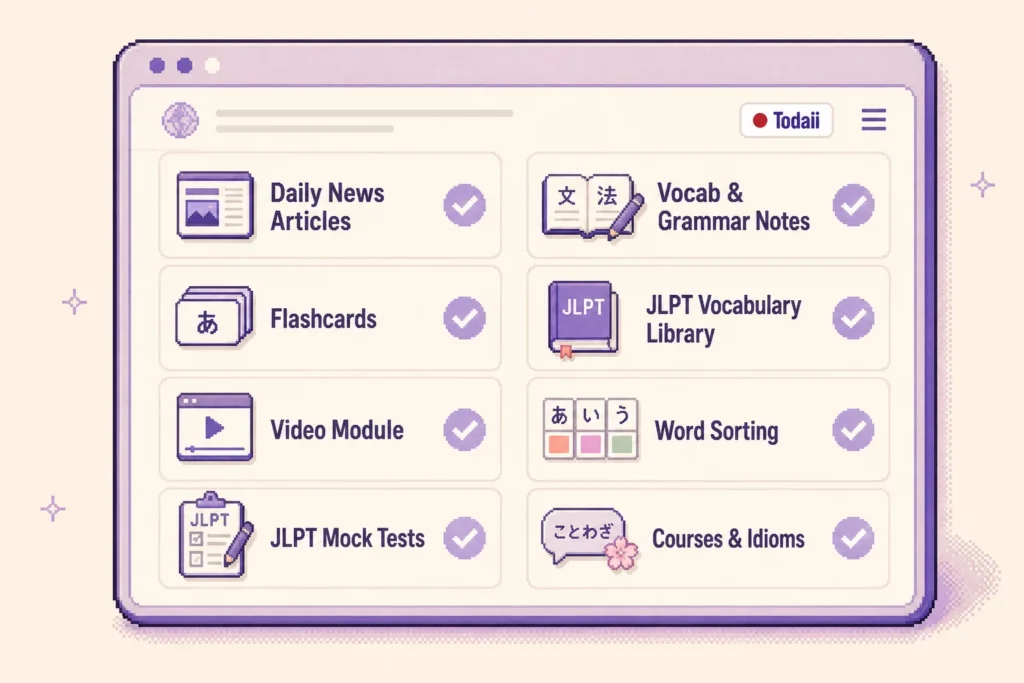
I went through most of the main features on the web version:
- Daily news articles at different JLPT levels
- Vocabulary and grammar notes inside articles
- Flashcard system
- JLPT vocabulary library
- Video module
- Word Sorting exercises
- JLPT mock tests
- Course and idiom content
Here is what I found.
1. Daily Updated Content — The Most Important Feature
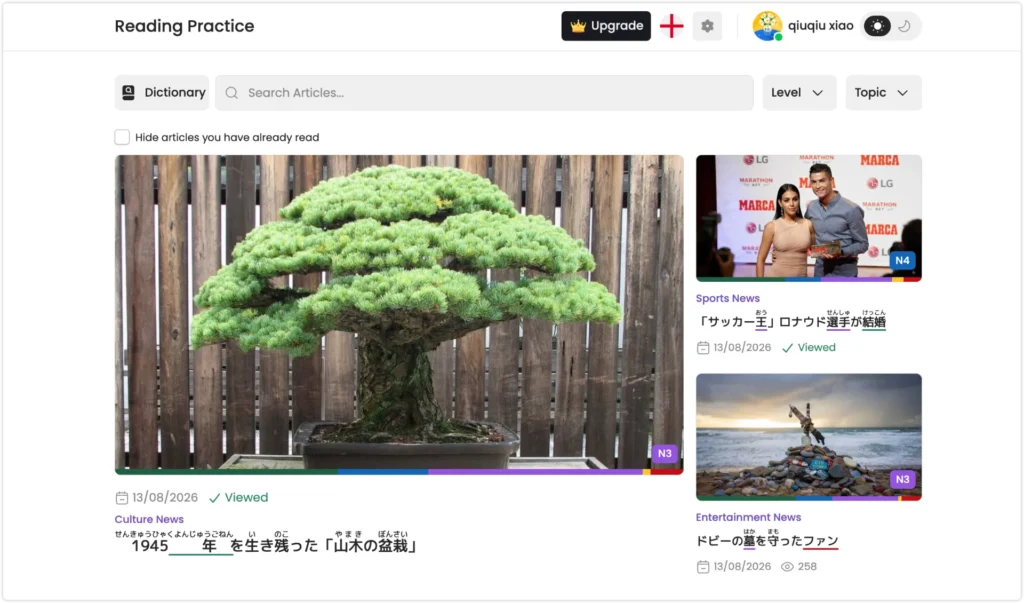
This is the feature I care about most, and Todaii does it well.
The articles are not a fixed library that sits unchanged for years. New content goes up every day, and the topics are chosen to be genuinely interesting rather than textbook-safe.
When I was using it, articles included things like why changes in weather make your body feel tired, why you rinse your hands at a shrine, and news about a volcano eruption. These are real topics that make you want to click in, not reading comprehension passages engineered to use N3 grammar points.
For me, this matters more than most other features. A reading app with beautiful design but content I have no interest in reading will not get opened. Todaii consistently gives me a reason to come back.
This also makes it a strong NHK Web Easy alternative for learners who want more variety in their reading material and topic selection.
2. JLPT Level Filtering
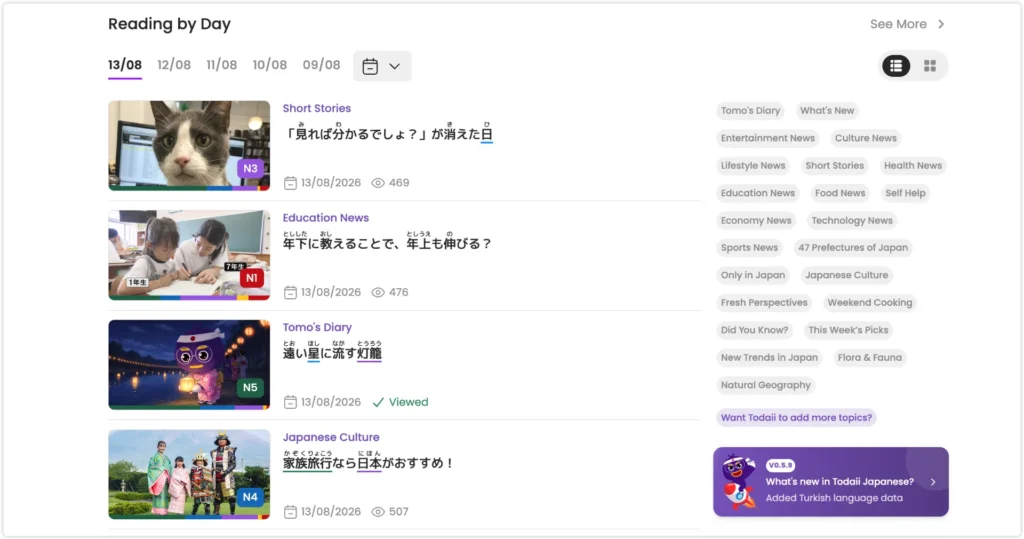
Every article on Todaii is labeled with a JLPT difficulty level, from N5 through N1.
You can filter by level, by topic, or both. This gives you two different ways to use the site:
The first is level-first: pick your target level and find articles to practice with. This is useful if you are actively preparing for JLPT and want reading material that matches your exam target.
The second is topic-first: find a subject you actually want to read about, then check what level the article sits at. If the topic is interesting enough, it is often worth attempting an article slightly above your comfortable level.
I prefer the second approach. It keeps the learning feeling less deliberate, which for me makes it easier to stay consistent.
3. Highlight Words Without Leaving the Article
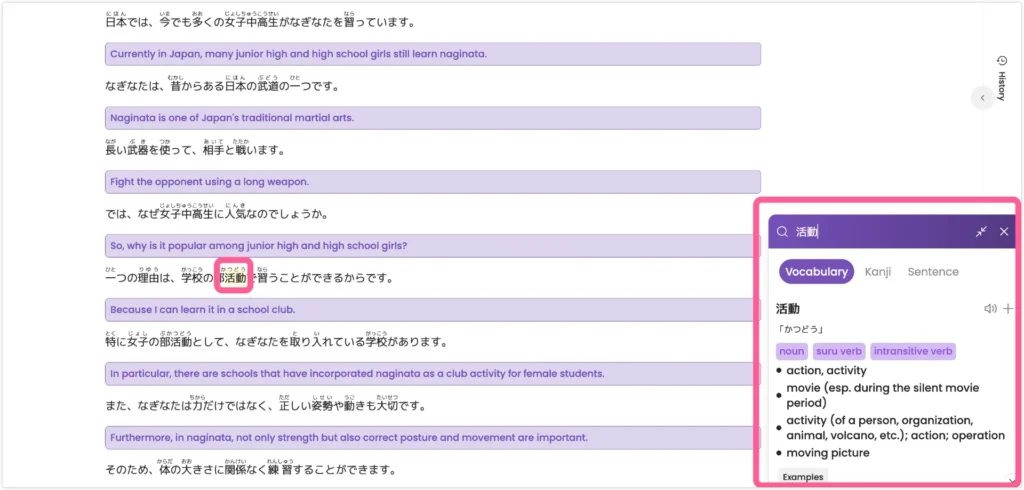
One of the features I use most while reading is Todaii’s built-in word lookup.
You can highlight a word without leaving the article, and a lookup panel opens with the reading, part of speech, English definitions, and pronunciation. From there, you can also save the word directly to your vocabulary list for later review.
The panel separates Vocabulary, Kanji, and Sentence information, and furigana can be displayed throughout the article. This makes it easy to check a word quickly and keep reading without constantly switching to another dictionary.
The example sentences in the lookup panel do not appear to have audio, which is one limitation. They do include furigana, though, so they are still useful for seeing how a word works in context.
For me, the most useful part is how little this interrupts the reading flow:
Highlight a word → Check the reading and meaning → Listen to pronunciation → Save it if useful → Keep reading
4. Vocabulary and Grammar After Each Article
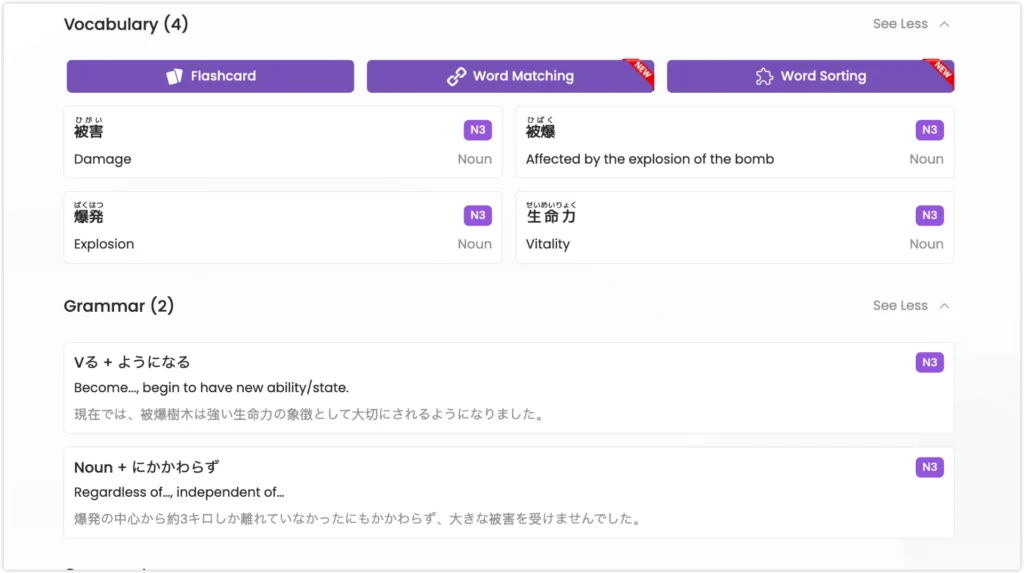
Todaii’s study support continues after you finish reading. Each article is followed by vocabulary, grammar points, and practice questions based on the text you have just read.
For example, after reading an article about weather and fatigue, the grammar section highlighted the pattern 〜によって and explained it using a sentence from the article:
内耳が気圧の変化を感じ取ることによって引き起こされるといいます。
I like this approach because the grammar does not appear in isolation. I have already seen the sentence inside a real article, so when Todaii explains 〜によって, I already understand the situation in which it was used.
The post-reading flow is simple:
Finish the article → Review vocabulary → Study grammar → Do practice questions → Review saved words with flashcards
This is one of the things I like most about Todaii. An article does not end when I reach the last sentence. The vocabulary and grammar I have just encountered immediately become material for review.
If you already make notes while reading Japanese content, the process will probably feel familiar. Todaii simply keeps more of that workflow inside the same platform.
5. Flashcards — Useful, But Watch the Audio
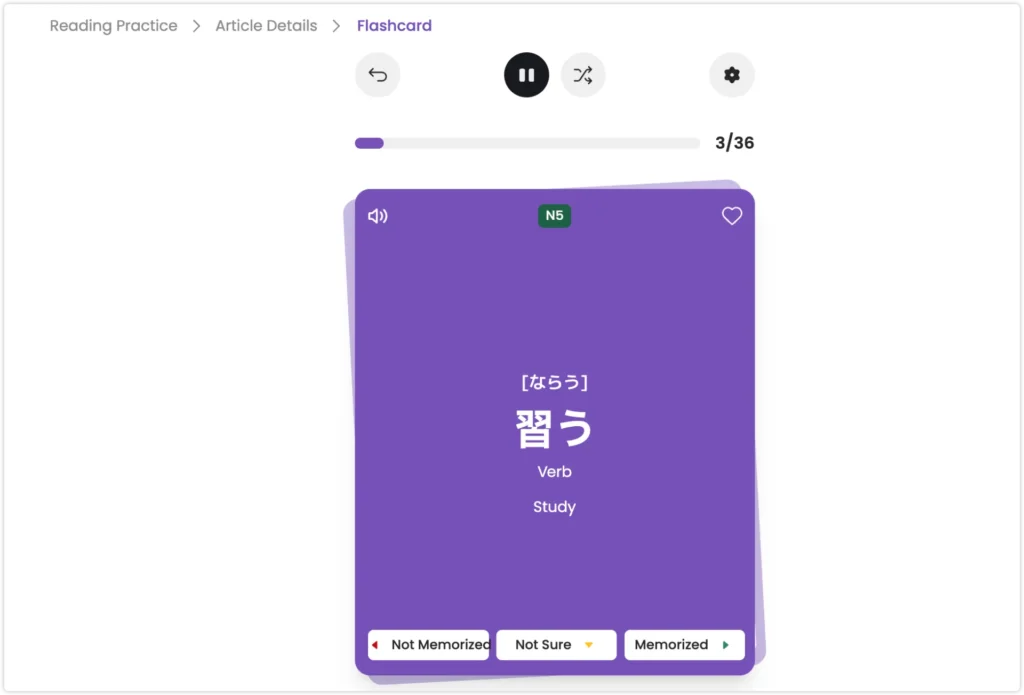
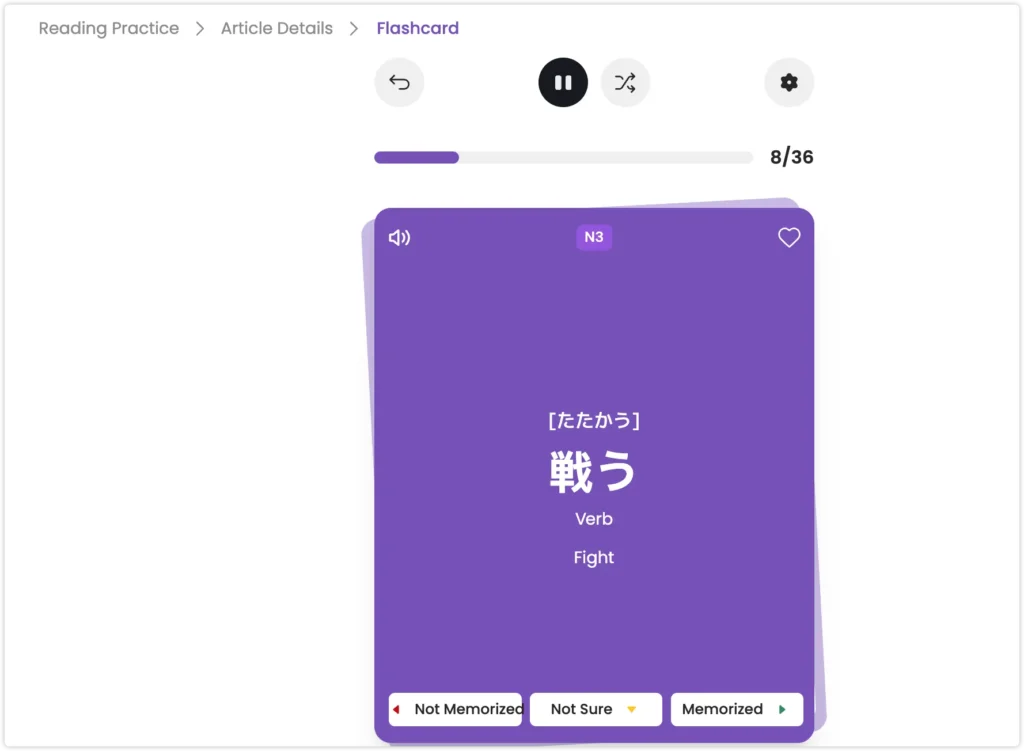
Words from any article can be saved directly to Todaii’s flashcard system.
Each card shows the word, reading, JLPT level, part of speech, English definition, and audio. You mark each card as Not Memorized, Not Sure, or Memorized.
The system works smoothly, and going straight from encountering a word in an article to having it in a review deck is a convenience that actually gets used.
One limitation worth noting: the audio in the flashcards has a noticeable AI quality. It is accurate enough for checking a reading, but I would not use it for shadowing or accent training. For that, I use the video module instead.
6. JLPT Vocabulary Library — A Genuinely Useful Free Resource
I did not expect much from this section, but it turned out to be one of the most useful parts of the site.
Todaii has dedicated vocabulary lists for all five JLPT levels:
| Level | Vocabulary Count |
|---|---|
| N5 | 578 |
| N4 | 512 |
| N3 | 1,553 |
| N2 | 1,560 |
| N1 | 2,753 |
Source: Todaii Japanese vocabulary library, checked August 2026.
The main JLPT vocabulary lists are available for free. Individual entries can include readings, definitions, usage notes, and memory tips, and words can also be saved to flashcards for later review.
Beyond the five JLPT levels, Todaii also has topic-specific vocabulary lists covering Japanese particles, prefixes, suffixes, fixed expressions, onomatopoeia, common connectives for reading comprehension, homophones, and kanji with the same kun reading.
For JLPT learners, I think this is one of the strongest free parts of Todaii. Even if you mainly use the site for reading practice, the vocabulary library is useful as a separate reference when you want to review words by level or category.
7. Video Module — Better for Listening Than Flashcards
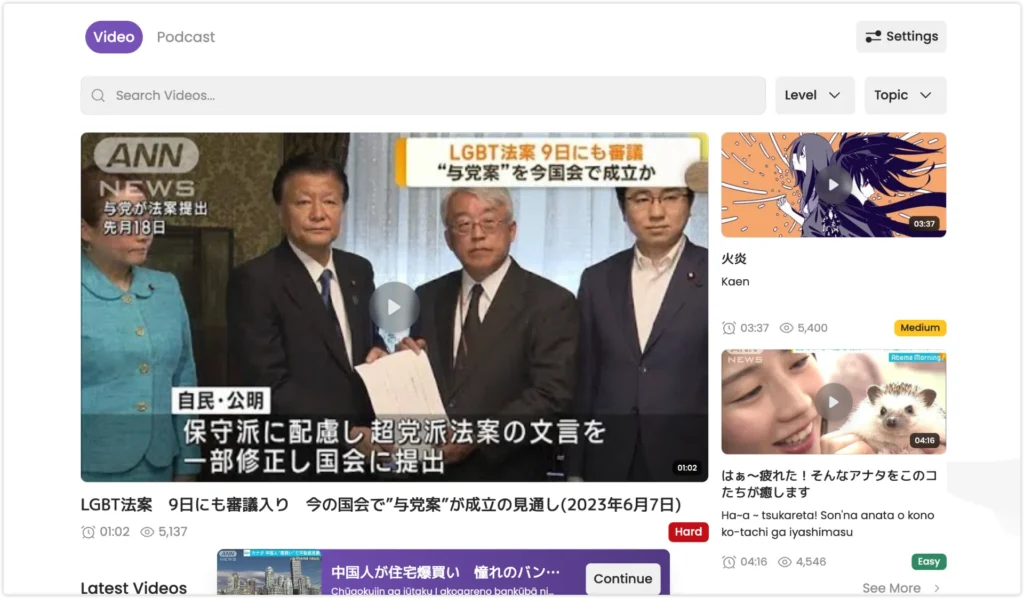
Todaii includes news video clips from sources like ANN and ABEMA News, with Japanese subtitles displayed alongside the video. Most clips are one to three minutes long.
The video library does not appear to be actively updated — the most recent content I found was from several years ago. That said, the existing archive is large enough that finding useful practice material is not a problem.
Because the audio comes from real broadcasts rather than generated speech, this is where I go when I want to practice listening or work on natural intonation — not the flashcard audio.
My approach for a short video:
- First listen without looking at the subtitles
- Second listen with subtitles
- Identify two or three expressions I did not catch
- Repeat those sections
For learners who find 20-minute podcasts hard to fit into a day, one or two of these short clips can be a more sustainable daily listening habit.
8. Word Sorting — Skip If You Read Chinese
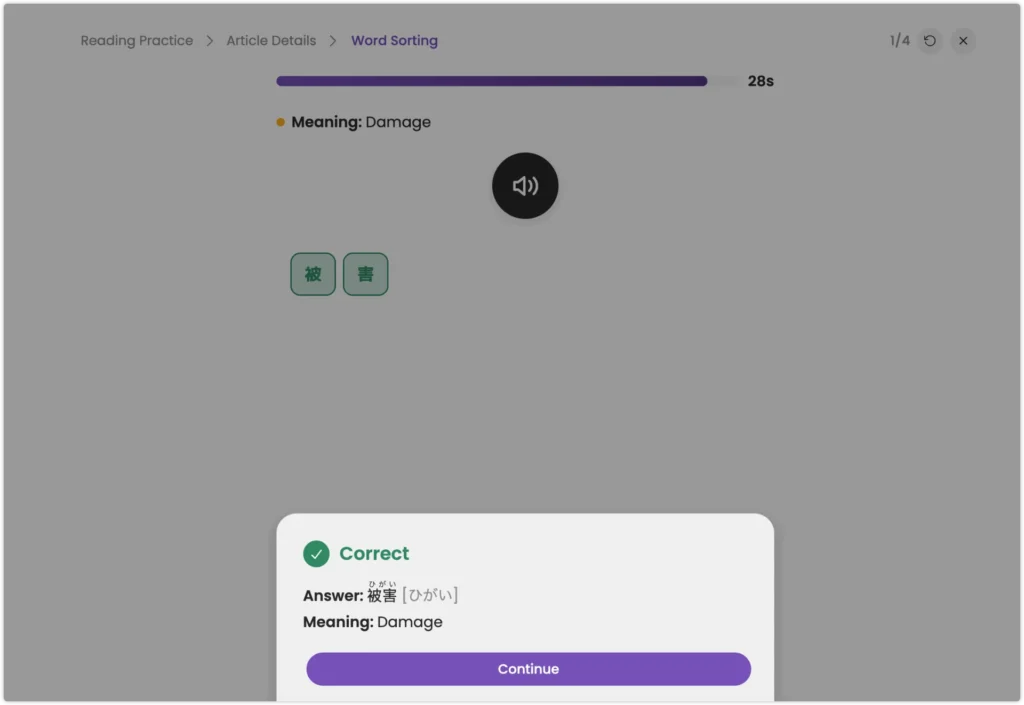
Todaii includes a Word Sorting exercise where you rearrange scrambled kanji to form a word.
For learners without a Chinese background, this probably builds useful recognition of kanji combinations.
For readers already comfortable with Chinese characters, many of these exercises may feel very easy. If you encounter a pure-kanji sorting exercise, just skip it and move on.
9. Japanese Courses, Idioms, and Folk Tales
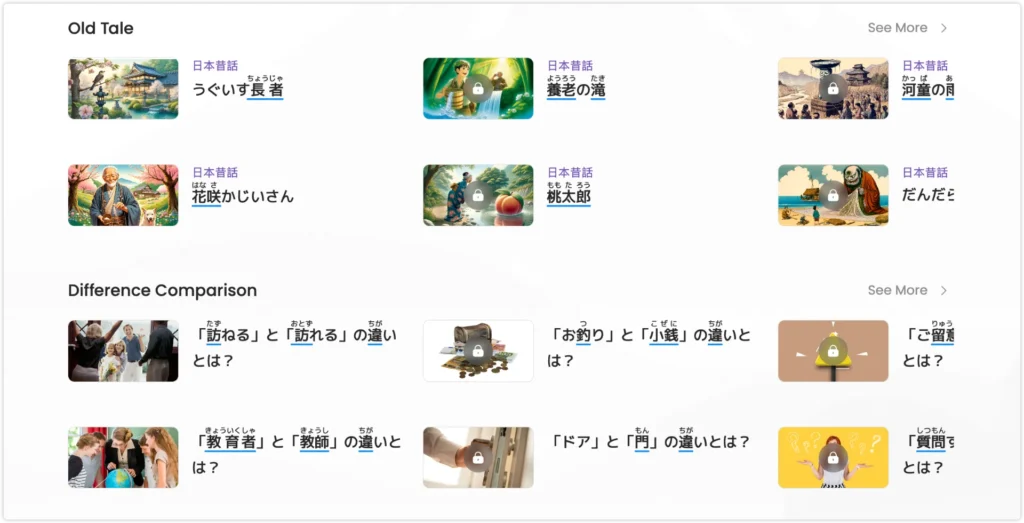
Todaii goes further than most reading apps with additional content categories:
- Grammar lessons
- Conversation lessons
- Idioms (慣用語): expressions like 鼻が高い, 腹が黒い, 三日坊主
- Japanese folk tales: 桃太郎, 花咲かじいさん, and others
- Difference comparisons between similar words or grammar
Some of this is free, some requires a paid plan. My approach: use whatever is not locked, skip what is.
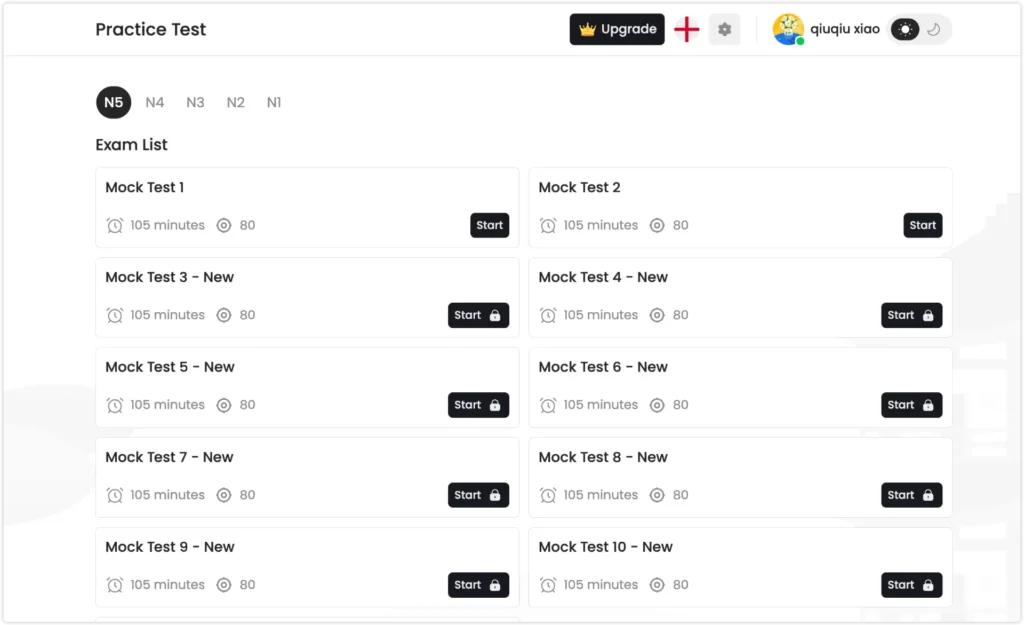
10. JLPT Mock Tests
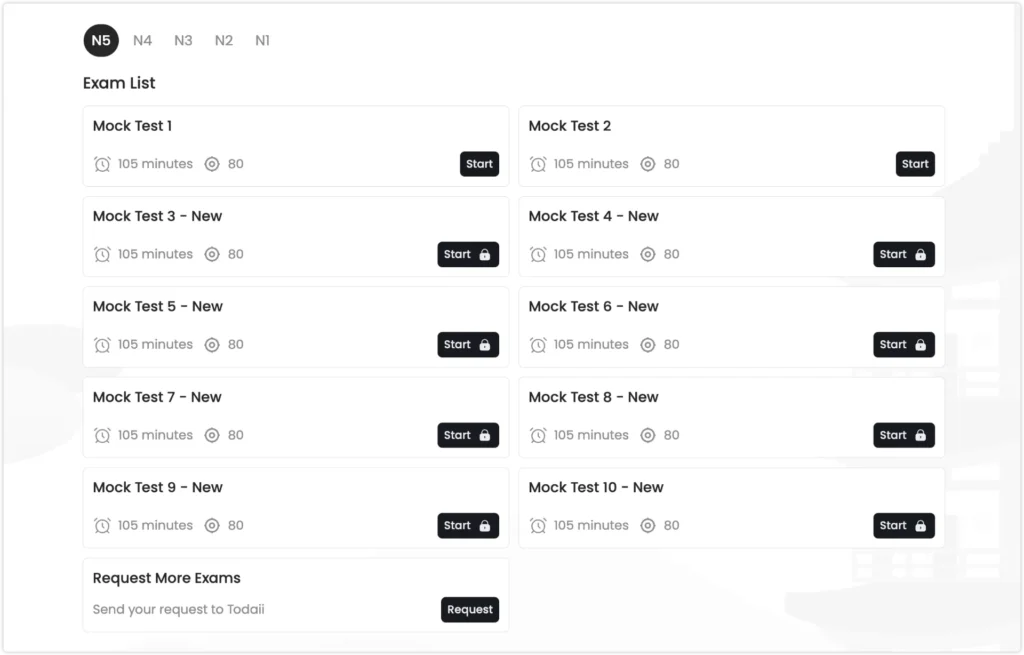
Todaii includes N5 through N1 mock tests. On Todaii’s platform, each mock test is set at 80 questions over 105 minutes — note this is Todaii’s own format, not the official JLPT exam structure, which varies by level.
Mock Test 1 and 2 are free. Tests 3 through 10 require a paid subscription.
Source: Todaii Japanese JLPT test page, checked August 2026.
For occasional level-checking or a taste of JLPT format, the free tests are enough. If you are in intensive exam preparation and need to cycle through many full practice tests, the paid access becomes more relevant.
The Main Problem With the Free Version: Ads
The most noticeable downside of the free version is the advertising.
On the web version, some banner ads are large enough to interrupt reading flow. When you are trying to move between an article, a vocabulary list, a grammar explanation, and a practice question, a prominent ad appearing mid-page breaks concentration.
The paid plan removes all ads. This is the most practical reason to upgrade if you use Todaii daily for focused study.
The free version also limits daily reading to around three articles. For most self-study learners, one to three articles read carefully is already a solid session. But if you want to read more, you will hit the limit.
Is Todaii Worth It? Free vs Paid
| Feature | Free | Paid |
|---|---|---|
| Daily articles | Limited (~3) | Unlimited |
| JLPT vocabulary library | Most content free | Full access |
| Flashcards | Available | Available |
| Video module | Available | Available |
| Mock tests | Tests 1–2 | Tests 1–10 |
| Ads | Yes | Removed |
| Courses and idioms | Partial | Full access |
My take: The free version is enough for most learners who read one to three articles per day and use the vocabulary and grammar tools after each one. The paid version makes sense if you study for long sessions daily and find the ads genuinely disruptive.
Who Is Todaii Japanese Best For?
Good fit:
- N3 and above learners who want daily Japanese reading practice
- Learners who prefer topic-driven content over textbook exercises
- Anyone preparing for JLPT who wants free graded reading material
- Learners who want vocabulary and grammar support without switching apps
Less suited for:
- Absolute beginners who have not started grammar yet
- Learners who want a fixed lesson sequence or curriculum
- Learners who rely heavily on audio for pronunciation or shadowing practice
How I Use Todaii Alongside Other Resources
I mainly use Todaii as a reading tool rather than trying to make it cover every part of Japanese study. For me, it works better when I pair it with resources that give me more listening and video-based input.
For Listening Practice: Japanese Podcasts
For longer listening practice, I usually switch to Japanese podcasts.
This gives me a different kind of exposure from Todaii. Instead of stopping to study every unfamiliar word, I can listen for expressions I already know, notice how vocabulary sounds in natural speech, and get used to following Japanese without relying on written text all the time.
If you are looking for something that matches your level, I put together a separate guide to the 15 Best Japanese Podcasts by Level (2026).
For Learning Through Shows: Lingopie
When I want something more visual than a podcast, I use Lingopie.
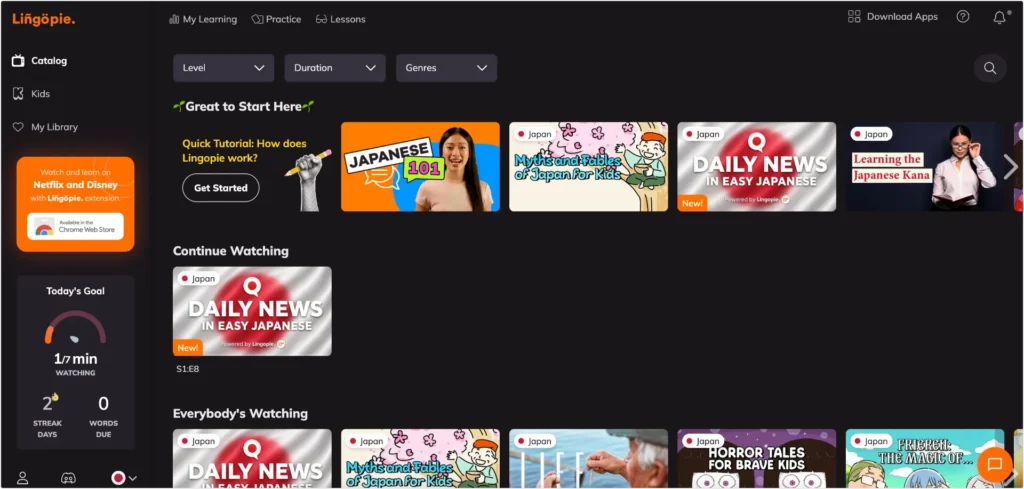
Lingopie turns shows and videos into interactive study material. Instead of watching passively, I can use the subtitles to look up vocabulary, save useful words, replay difficult lines, and return to what I learned later.
| Feature | Why I Find It Useful |
|---|---|
| Dual subtitles | Follow the Japanese while keeping an English translation available when needed |
| Clickable vocabulary | Look up unfamiliar words directly from the subtitles without leaving the video |
| Save to vocabulary | Keep useful words in a personal vocabulary list for later review |
| Replay and playback controls | Go back to dialogue I did not catch and listen again more slowly |
| Flashcards and review | Revisit vocabulary after watching instead of forgetting it when the episode ends |
| Pronunciation practice | Use the original dialogue as a model for listening and repeating |
I use Todaii and Lingopie for different reasons. Todaii is where I slow down and read carefully; Lingopie is where I learn from video and connect vocabulary with natural speech, subtitles, and context.
What I like most is that vocabulary practice starts before the video even begins. Lingopie first shows a set of words matched to the video and my level, and I can choose which ones I want to add before watching.
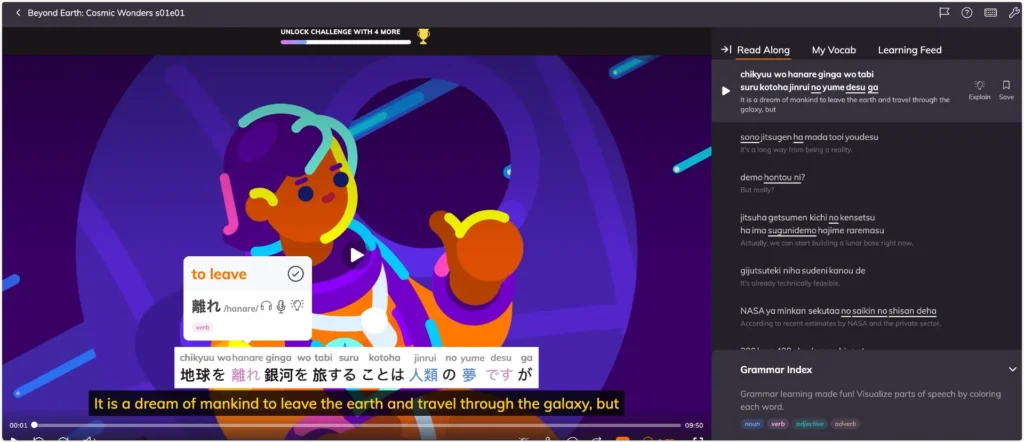
While the video is playing, I can also click unfamiliar words in the subtitles and save them to My Vocab. Those words can then be reviewed later through spaced-repetition exercises, so the vocabulary does not disappear when the episode ends.
That creates a simple learning loop:
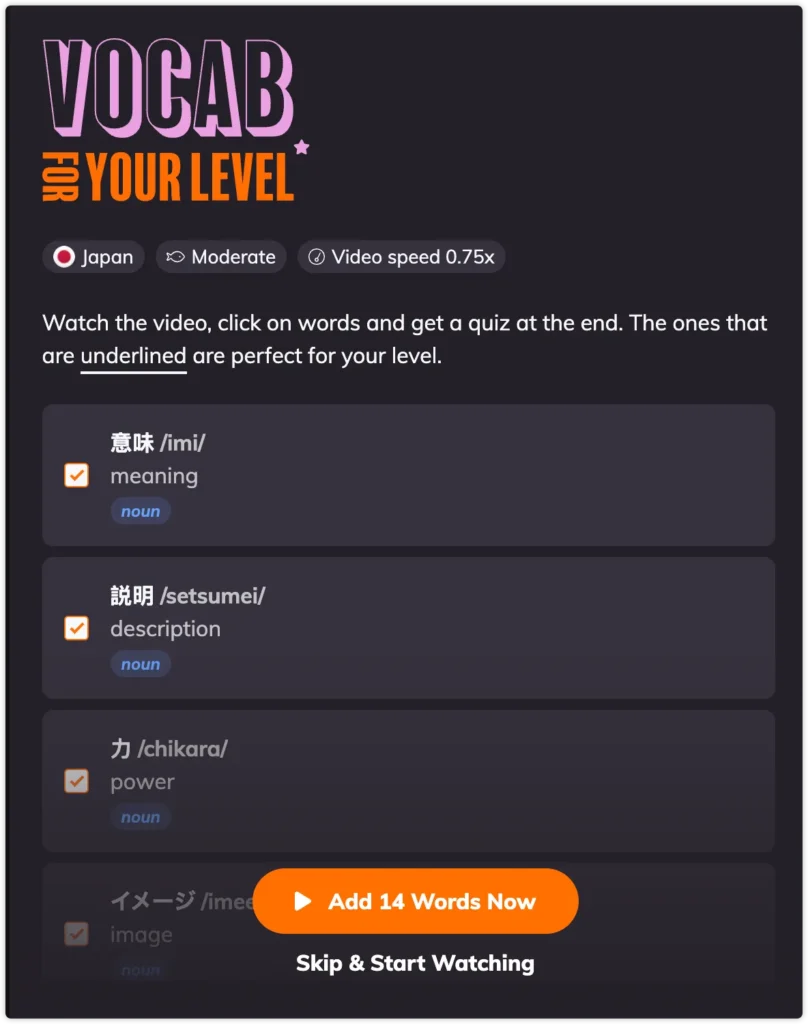
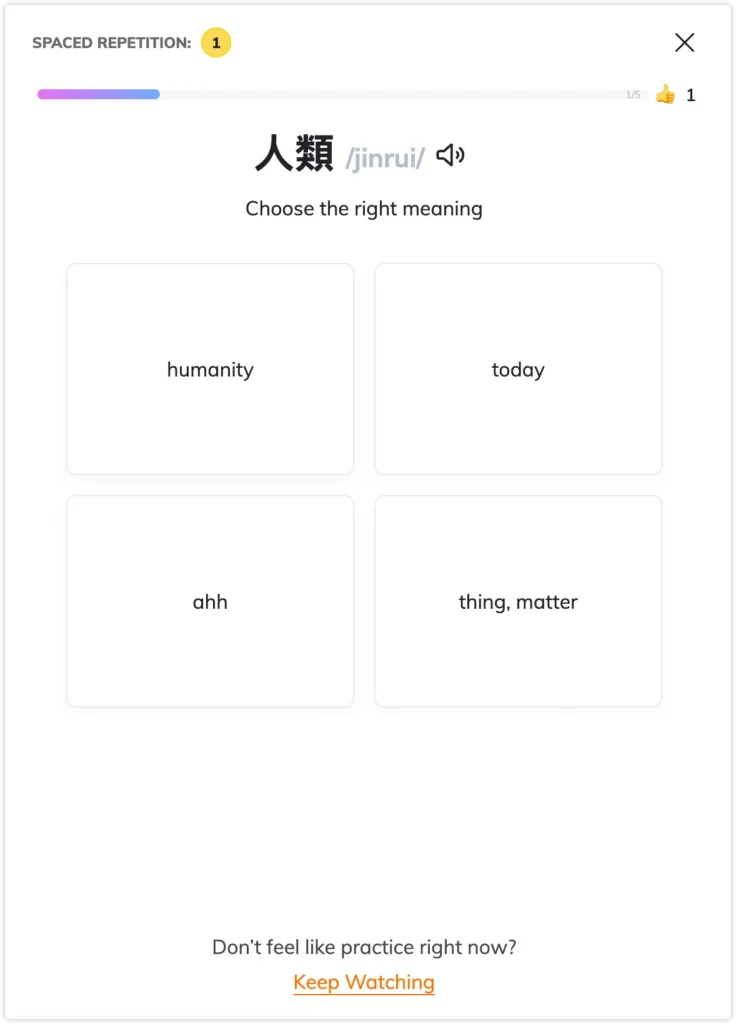
Preview vocabulary → Watch → Look up new words → Save to My Vocab → Review → Return to the video
Together with Japanese podcasts, this gives me a balanced mix of reading, natural listening, video-based learning, and vocabulary review without asking one tool to do everything.
Todaii Japanese Review FAQs
Is Todaii Japanese free?
Yes. Todaii Japanese has a free version with daily article limits and ads. Most of the vocabulary library, flashcard system, video module, and the first two mock tests are available without paying.
What level is Todaii Japanese for?
Todaii works best for learners at N3 level and above. Content is available at all levels from N5 to N1, but beginners who have not yet covered basic grammar may find it difficult to use effectively without additional support.
Is Todaii Japanese better than NHK Web Easy?
They serve similar purposes but with differences. NHK Web Easy focuses on simplified news with furigana. Todaii pulls from a wider range of sources and topics, and adds vocabulary, grammar notes, flashcards, and mock tests. For learners who want more study tools alongside their reading, Todaii offers more in one place.
Does Todaii Japanese have an app?
Yes. Todaii Japanese is available on iOS and Android as well as the web version at japanese.todaiinews.com.
Is Todaii Japanese worth paying for?
The paid version is worth it if you study for long daily sessions and find the ads disruptive, or if you need unlimited article access beyond the free daily limit. For most self-study learners reading one to three articles per day, the free version is sufficient.
Final Thoughts
Todaii Japanese is one of the most complete free tools available for intermediate Japanese learners who want to build a daily reading habit with real content.
The combination of daily updated articles, JLPT grading, built-in vocabulary and grammar support, and a free vocabulary library makes it genuinely useful — not just a novelty app.
The ads on the free version are a real inconvenience during focused study. But the content itself is good enough that I keep coming back.
If you are at N3 or above and looking for a site that gives you something new and interesting to read in Japanese every day, Todaii Japanese is worth trying.
Last checked: August 2026.